Ranked Among Australia’s Top 20 Corporate Training Providers (2026): View Courses

Microsoft Copilot: Free vs Paid (and Why It Keeps Changing)

If Microsoft Copilot feels a bit confusing right now, you’re not imagining it.

It’s changing quickly – where it shows up, what it can do, and how it behaves can feel different from one month to the next. That uncertainty is real, and it’s something a lot of people are noticing.

I’ve done a quick video – have a look!  Alternatively, you can read the blog further below..

Breaking News: Microsoft announced a change last week that’s worth mentioning..  From 15 April 2026, organisations with more than 2,000 Microsoft licences will only have access to free Copilot via the Microsoft 365 Copilot app and Outlook.  Free Copilot will no longer appear in Word, Excel, PowerPoint, or OneDrive in those environments.  The paid Microsoft 365 Copilot experience remains unchanged.  For smaller organisations, behaviour is as shown in the video – for now.

Copilot and ChatGPT – what’s the connection?

Underneath, Microsoft Copilot uses the same family of AI technology as tools like ChatGPT.

That’s possible because of Microsoft’s significant investment in OpenAI, which gives Microsoft access to advanced AI models and allows Copilot to be built directly into Microsoft products.

The important takeaway isn’t the model name – it’s that Copilot and ChatGPT share similar AI foundations but can be used in very different ways.

Where Copilot is showing up now

Copilot is no longer just a standalone app or a panel you see in a browser.

You’ll now notice Copilot appearing inside:

  • Word
  • Excel
  • Outlook
  • PowerPoint
  • Teams

This can happen even if you don’t have a paid Copilot licence, which is where a lot of the confusion starts.

Seeing Copilot there doesn’t necessarily mean it understands what you’re working on.

What free Copilot actually does

The free version of Copilot mostly gives you AI access in the window you’re working in.

What it can see or understand varies — and that can change over time — but the safest assumption right now is that free Copilot doesn’t truly know your documents, emails, or files.

It’s best thought of as:

  • A general AI helper
  • Useful for ideas, drafting, and thinking things through
  • Not connected to your organisation’s data

What paid Microsoft 365 Copilot does differently

Paid Microsoft 365 Copilot is designed to work with your organisation’s data.

That’s the version that can:

  • Summarise meetings and conversations
  • Help draft documents and emails using your real context
  • Analyse data
  • Prepare work based on what actually exists in your environment

This difference — access to organisational data — is what organisations are paying for.

The simplest way to remember it

If everything else feels blurry, this framing helps:

Free Copilot gives you access to AI.

Paid Copilot gives AI access to your work.

And yes — this will keep evolving. The details may shift, but that core distinction is likely to remain.

The real skill isn’t memorising features. It’s staying curious and learning as the tools change.

If you and your team are wanting to learn more about Microsoft Copilot to help you be more efficient and effective, we are here to help. Corporate Training Options specializes in customized Microsoft Copilot courses across Australia-designed to meet you where you are. 

Power BI: What’s All the Fuss About?

Being a non techie myself, tools like Power BI, Power Automate, Power Apps etc, blew my mind when one of our trainers (Gordana Marinkovic), who is an absolute expert told me about their potential.

So, if there are any curious minds out there – Let’s explore this together.

The Scene we all know too well

Picture this: Maybe you own a café or restaurant and you’re trying to figure out which menu items are worth keeping. You know the popular sellers, but are they profitable? Some dishes fly out the door but require expensive ingredients and extra kitchen staff. Others have great margins but barely move. And then there are those “signature items” everyone expects – lower profit, but customers would notice if they disappeared. Right now, you’re piecing this together from gut feel, supplier invoices, and rough calculations. Wouldn’t it be better to see what’s working – profit percentages that account for ingredients, staffing time, equipment costs, and how quickly items sell?

Or it is budget season and someone in your finance team is buried under spreadsheets, copying and pasting data from five different sources, trying to create reports that are due yesterday.

Or perhaps it’s enrolment time at your school and the admin office is pulling student data from multiple systems, cross-referencing last year’s numbers, trying to spot trends and prepare reports for the education department.

Sound familiar?

These moments – drowning in data but starving for insights – are where Power BI comes into play.

Making sense of messy data

Here’s the thing about data: most organisations have plenty of it (I hoard data myself  running stats, Parkruns, plasma donations, expenses – subscriptions, retail therapies, electricity and fuel – the list goes on).

It’s just scattered everywhere. Spreadsheets on different people’s computers. Information in databases that don’t talk to each other. Reports saved in various folders. Some data updated daily, some monthly, some… whenever someone remembers.

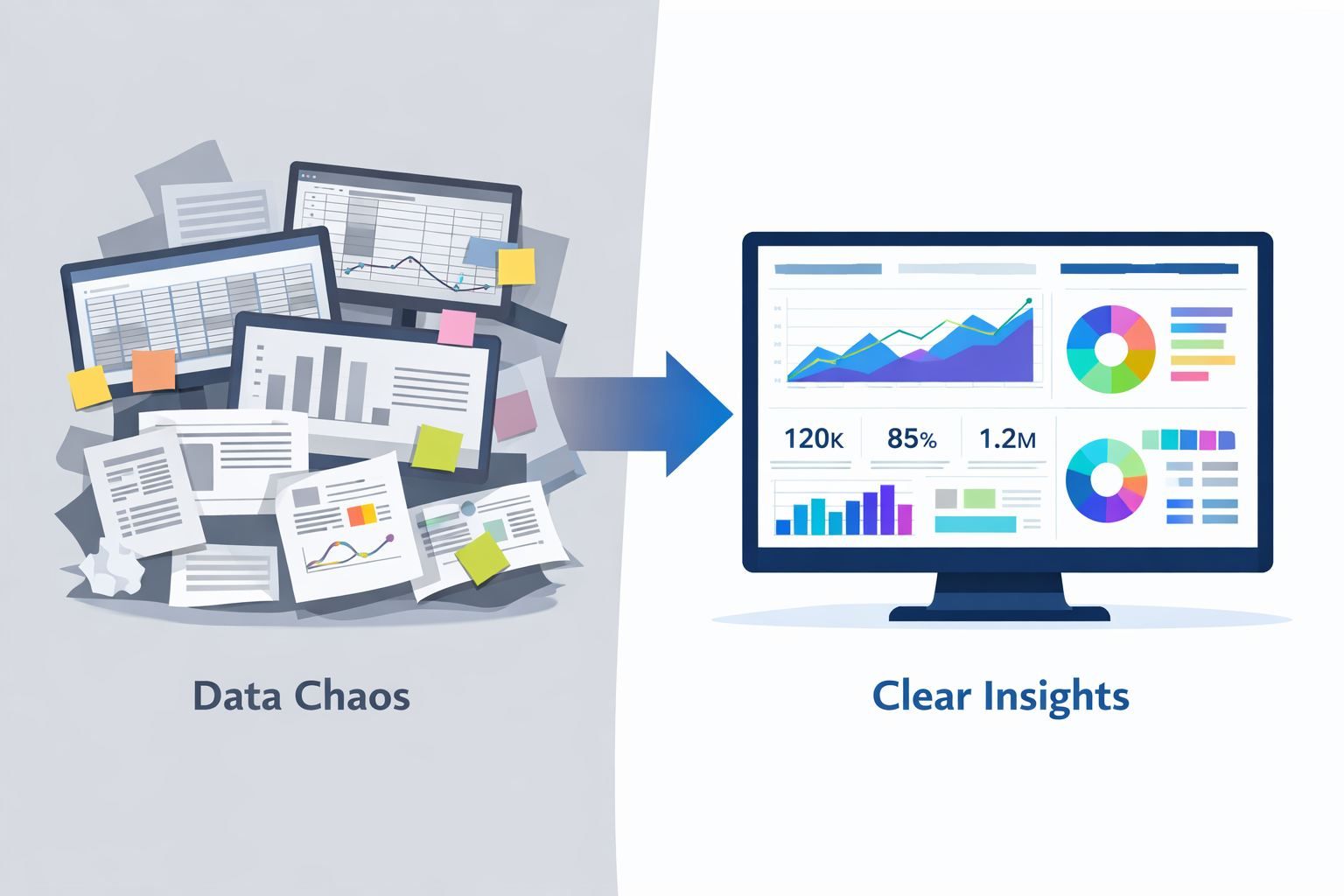
Power BI is Microsoft’s answer to this chaos. It pulls all that scattered information together and turns it into visual dashboards and reports that make sense.

Instead of staring at endless rows and columns trying to spot patterns, you see charts and graphs that show you what’s happening at a glance. Budget variances by department, student enrolment trends over five years, menu item profitability with all costs factored in, customer booking patterns, grant funding status across multiple projects – The data you already have finally telling you the story you need to hear.

Why this matters to you

Whether you are running a department in a council, managing school operations or overseeing a café or restaurant, you likely face the same challenge: you have the data, but getting useful insights from it takes forever.

Your finance team spends days compiling budget reports instead of analysing what the numbers actually mean. Your school admin creates enrolment reports manually when they could be supporting students. Your café manager makes menu decisions based on incomplete information because pulling together the full picture is too time-consuming.

Power BI offers a different approach. Once your data sources are connected, those reports and dashboards update automatically. What used to take days now takes minutes. What used to be guesswork can now be data-informed decisions.

Not because you hired a data analyst or a massive IT team, but because you can now see what’s happening in your organization, thanks to Power BI.

From Data Chaos to Clear Insights

Here’s what this looks like in practice:

For cafés and restaurants: See which menu items are your profit heroes and which are quietly draining resources. Understand your peak times, your quietest periods, your inventory patterns. Make confident decisions about menu changes, staffing schedules, and supplier negotiations – all based on actual data, not hunches.

For councils: Instead of scrambling through emails and spreadsheets during grant reporting season, imagine a dashboard that shows the status of every grant at a glance – funds allocated, funds spent, reporting deadlines approaching, project milestones on track or falling behind. The data’s already there in your systems; Power BI just makes it visible and useful.

For schools and universities: Enrolment data, attendance patterns, resource allocation, budget tracking across departments – all in one place, updated in real-time, accessible to the people who need it. Spot trends early. Make informed decisions about staffing and resources. Generate compliance reports without the usual panic.

Where we go from here

Well, I have been told that this is just the beginning of our exploration – the tip of the iceberg. As I learn more, I will update you all with

  • How Power BI actually works (without the technical jargon)
  • Real examples from organisations like yours
  • What getting started looks like in practice
  • When Power BI might need a companion tool to really transform your processes

For now, just know this: if you’re drowning in data but can’t seem to get the insights you need, you’re not imagining things. There are a lot of us in the same boat, but the good news is that there are tools designed for exactly this challenge. At CTO, we even have a few technical gurus who would love to share their knowledge with you.

And the best news – you don’t need to be a tech expert to use them.

If you and your team wish to get more efficient and productive, we are here to help. Corporate Training Options specializes in customized Microsoft Power BI – Introduction across Australia – designed to meet you – where you are.

Let’s stay curious,