Ranked Among Australia’s Top 20 Corporate Training Providers (2026): View Courses

Microsoft Word training

Create, format and manage professional documents consistently and efficiently – from a one-page letter to a hundred-page report

About CTO Microsoft Word training

CTO delivers customised Microsoft Word training across Australia, covering document creation and formatting, styles, templates, long-document tools, mail merge and professional production techniques. Available at Introduction, Intermediate and Advanced levels, all sessions are tailored to the document types your team produces. Onsite anywhere in Australia or live online.

Microsoft Word TrainingMicrosoft Word training – customised for
your team

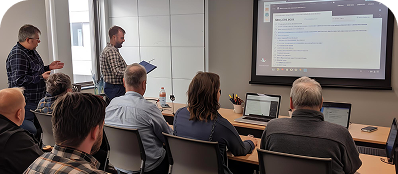
CTO’s Microsoft Word training is fully customised to your team – your documents, your formatting standards and your level. All courses can be delivered onsite at your workplace anywhere across Australia, live online, or in a hybrid format.

Not sure which level is right for your team? Call us and we’ll help you design the right program.

Onsite training

Delivered at your workplace, any state or territory across Australia.

Hybrid delivery

Onsite and online participants together for distributed teams.

We deliver with impact

Experienced facilitators who adapt content to the documents your team works with every day.

Fully customised

Tailored to your document types, formatting standards and team’s current skill level.

Heading Know your Word training journey

Think of these three courses as a progressive build. Most organisations move through them in order but if your team already produces professional documents, starting at Intermediate or Advanced makes sense too.

📗 Core Word Courses: The Progressive Pathway
Introduction
Intermediate
Advanced

Pathway note Many teams complete Introduction and Intermediate as a sequence, then send their power users or document specialists to Advanced. All courses can be customised, combined or scaled to the number of days that suits your organisation.

Select a course to see what it covers

Who it’s for, what you’ll learn and how it’s delivered.

  • Core Course · Level 1

    Microsoft Word Introduction

    Build professional document habits from day one

    Course overview

    Most people learn Word by figuring it out as they go. They pick up enough to get documents done, but miss the tools that would save them significant time and produce far more consistent, professional results.

    This one-day course builds the foundation that most Word users never get formally. You’ll learn how to create, format and manage documents to a professional standard – with the right habits from the start, so you’re not fighting the tool every time a document needs to look right.

    What you’ll be able to do

    • Create, save and organise Word documents to a consistent professional standard
    • Format text, paragraphs and pages correctly without manual workarounds
    • Apply basic styles to create documents that are easy to read and easy to update
    • Work with tables – create, format and manage them in professional documents
    • Add headers, footers, page numbers and document properties with confidence
    • Prepare and print documents that look right on the page, every time

    Who should attend

    • Administrative and support staff who create documents as a primary part of their role
    • Professionals new to Word or who have never had formal training
    • Anyone producing correspondence, reports or proposals who wants to do it more efficiently

    Delivery options

    Onsite
    At your workplace, Australia-wide
    Live Online
    Instructor-led, real-time sessions
    Hybrid
    Onsite and online participants combined

    Courseware

    Learning materials are available for purchase at the time of booking. Materials are based on Word 2016. All core concepts remain fully relevant across current versions. Trainers highlight any interface differences during the session, so participants always learn what applies to the version they use.
  • Core Course · Level 2

    Microsoft Word Intermediate

    Work faster and produce more consistent, professional output

    Course overview

    You know how to create documents in Word. Now it’s time to work with it more efficiently. This one-day course is for people who use Word regularly but know there is a better, faster and more consistent way to be doing it.

    The focus is on the techniques that save real time – styles that carry consistent formatting across an entire document, templates that mean you never start from scratch, and tools like mail merge that produce personalised output without manual effort. If your team produces a lot of documents, this is where productivity genuinely improves.

    What you’ll be able to do

    • Use styles properly and consistently to maintain formatting across all documents without manual effort
    • Create and use document templates to standardise output across the organisation
    • Use mail merge to produce personalised letters, emails and labels from a data source efficiently
    • Apply advanced formatting techniques including borders, shading and multi-column layouts
    • Use track changes and comments to manage document review professionally
    • Work with section breaks and page layout to control how different parts of a document appear
    • Insert and manage images, shapes and objects within professional documents

    Who should attend

    • Professionals who produce regular correspondence, reports or proposals
    • Teams with inconsistent formatting standards who want a shared approach to document production
    • Anyone who currently builds templates or standardised documents manually

    Delivery options

    Onsite
    At your workplace, Australia-wide
    Live Online
    Instructor-led, real-time sessions
    Hybrid
    Onsite and online participants combined

    Courseware

    High quality printed materials available for purchase per participant. Based on Word 2016. All core concepts and long-document techniques remain fully relevant across current versions. Trainers address any version differences during the session.
  • Core Course · Level 3

    Microsoft Word Advanced

    Master the long-document and production tools most Word users never learn

    Course overview

    This is the course for people who produce serious documents – long reports, policy documents, proposals, manuals or anything that needs to be structured, navigable and consistently formatted across many pages.

    Word has a full suite of long-document tools that most users never learn formally. Tables of contents that update automatically. Cross-references that stay accurate when content moves. Document protection that controls exactly what can and cannot be edited. This course covers all of it, and it is the difference between a document that is built properly and one that is constantly being fixed.

    What you’ll be able to do

    • Build long documents with properly structured sections, bookmarks and navigation
    • Create tables of contents, indexes and cross-references that update automatically
    • Use advanced styles and outline levels to structure and reorganise large documents efficiently
    • Apply document protection to restrict editing and formatting in controlled documents
    • Work with master documents and subdocuments for large collaborative projects
    • Export to PDF and manage document compatibility across Word versions
    • Use macros to automate repetitive document tasks and save time across the team

    Who should attend

    • Professionals who produce long or complex documents as a regular part of their role
    • Document specialists, technical writers and policy or compliance teams
    • Anyone who wants to build documents that are structured correctly from the start

    Delivery options

    Onsite
    At your workplace, Australia-wide
    Live Online
    Instructor-led, real-time sessions
    Hybrid
    Onsite and online participants combined

    Courseware

    High quality printed materials available for purchase per participant. Based on Word 2016. All core concepts and long-document techniques remain fully relevant across current versions. Trainers address any version differences during the session.

You may also be interested in related programs.
Microsoft PowerPoint
Microsoft PowerPoint Training

Microsoft PowerPoint
Training

Microsoft PowerPoint Training

View more details
Microsoft Outlook
Microsoft Outlook Training

Microsoft Outlook
Training

Microsoft Outlook Training

View more details
Microsoft 365
Microsoft 365

Microsoft 365:
Modern Workplace

Microsoft 365: Modern Workplace

View more details

Ready to produce professional Word documents consistently and efficiently?

Talk to a CTO specialist about the right Word training level for your team.