Build confident, productive design skills – design, customise and publish professional marketing and print materials with Microsoft Publisher
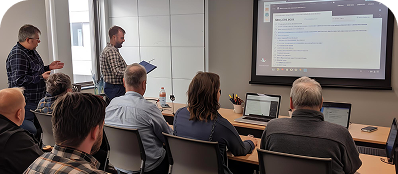
CTO delivers customised Microsoft Publisher training across Australia, covering page layout setup, master pages, typography controls, advanced text wrapping, image manipulation and print-ready exporting. Sessions are tailored to your team’s internal communication, graphic design and marketing template needs. Onsite anywhere in Australia or live online.
Many professionals rely on basic word processors to create marketing collateral, resulting in misaligned layouts, unpredictable text boxes and frustrating formatting errors. When you need pixel-perfect flyers, multi-page brochures or polished newsletters, a dedicated desktop publishing tool is essential.
Microsoft Publisher gives you complete control over your workspace, offering a visual layout canvas that functions exactly where you click. It eliminates the layout shifts common in standard document programs, allowing you to establish absolute grids, manage multi-page text flows and prepare clean assets for professional printing.
The course covers layout configuration and core object mechanics, then moves into advanced formatting, master templates and press preparation.
Designed for any workplace user tasked with document design or print publication layout. Particularly valuable for marketing, administrative and creative roles that lack formal graphic design training but need to produce high-quality collateral. Half-day sessions cover layout essentials and text flow. Full-day sessions include master pages, cataloguing, templates and print production configurations.
CTO works with the organising contact to confirm the types of print or digital assets the team regularly builds. Current company templates, logos and publication styles can be gathered ahead of time to use directly during training sessions.
Participants work within their own Microsoft Publisher application during the class. Design and typesetting exercises use the team’s live project requirements (such as internal newsletters or corporate forms) to ensure immediate practical value.
Participants receive a Microsoft Publisher asset layout card detailing standard print margins, fold orientations, typography benchmarks and export checklists. Advanced Word Desktop Publishing is available for teams, bridging the gap into broader document design.
Ready to give your team a solid Microsoft Publisher foundation?
Microsoft Word Training
Microsoft PowerPoint Training

Microsoft SharePoint Training

Talk to a CTO specialist about Microsoft Publisher training for your organisation.
Monthly tips on Microsoft 365 and Professional Development. No spam - unsubscribe any time.
Professional Training - Exceptional Results.
Corporate Training Options helps Australian teams build skills that deliver real business results. Onsite or online. Customised every time.
© 2026 Corporate Training Options Pty Ltd. All rights reserved.
Design By Webplanners