Ranked Among Australia’s Top 20 Corporate Training Providers (2026): View Courses

Microsoft Publisher training

Build confident, productive design skills – design, customise and publish professional marketing and print materials with Microsoft Publisher

About Microsoft Publisher training

CTO delivers customised Microsoft Publisher training across Australia, covering page layout setup, master pages, typography controls, advanced text wrapping, image manipulation and print-ready exporting. Sessions are tailored to your team’s internal communication, graphic design and marketing template needs. Onsite anywhere in Australia or live online.

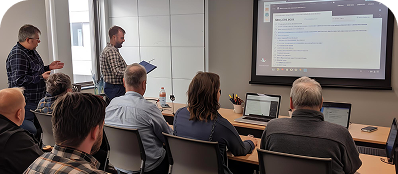
Microsoft Publisher trainingMicrosoft Publisher training – customised for your team

Many professionals rely on basic word processors to create marketing collateral, resulting in misaligned layouts, unpredictable text boxes and frustrating formatting errors. When you need pixel-perfect flyers, multi-page brochures or polished newsletters, a dedicated desktop publishing tool is essential.

Microsoft Publisher gives you complete control over your workspace, offering a visual layout canvas that functions exactly where you click. It eliminates the layout shifts common in standard document programs, allowing you to establish absolute grids, manage multi-page text flows and prepare clean assets for professional printing.

Who should attend

  • Marketing assistants and internal communications officers who manage newsletters, flyers and promotional updates
  • Administrative personnel tasked with creating corporate certificates, event invitations or internal policy booklets
  • Small business owners looking to produce professional brand assets in-house without expensive design suites
  • Anyone wanting to transition away from the frustrating formatting limitations of basic word processors

The Microsoft Publisher training pathway

Course Details

What this course covers

The course covers layout configuration and core object mechanics, then moves into advanced formatting, master templates and press preparation.

Publisher essentials

  • The Publisher Interface: navigating the page navigation pane, configuring rulers, objects and the layout canvas
  • Working with Text: creating text boxes, connecting text chains across columns and managing overflow margins
  • Images and Shapes: inserting, cropping, resizing and precisely layering graphics using formatting controls
  • Page Setup and Margins: configuring exact dimensions for different print folds, margins and target page sizes
  • Saving and Exporting: saving files natively and exporting clean, accessible PDFs for digital distribution

Advanced layout and templates

  • Master Pages and Layout Guides: establishing unified backgrounds, consistent headers/footers and custom grid systems
  • Advanced Text Wrapping: forcing text to tightly flow around irregular shapes, images and distinct callouts
  • Mail Merge and Catalogues: linking external data sheets (like Excel tables) to automatically populate bulk data
  • Building Reusable Templates: freezing styles, colour palettes and structural elements for corporate consistency
  • Typography Control: fine-tuning kerning (character tracking), line spacing, precise indents and custom typography styles
  • Commercial Print Preparation: managing CMYK colour conversion, bleeds, crops and generating press-ready PDF files

Level

Who this course is designed for

Designed for any workplace user tasked with document design or print publication layout. Particularly valuable for marketing, administrative and creative roles that lack formal graphic design training but need to produce high-quality collateral. Half-day sessions cover layout essentials and text flow. Full-day sessions include master pages, cataloguing, templates and print production configurations.

Outcomes

What you will be able to do

  • Navigate the Publisher workspace and create accurately dimensioned document structures
  • Control text flow precisely across columns, frames and multi-page configurations
  • Place, crop, format and layer graphical elements without displacing adjacent page content
  • Design dynamic, multi-page documents utilising Master Pages and corporate grid guidelines
  • Automate batch creation of labels, certificates and catalogues using basic Mail Merge functions
  • Prepare and export high-quality, press-ready print files including crop marks and bleeds

Delivery and courseware

How CTO delivers this training

Before the session

CTO works with the organising contact to confirm the types of print or digital assets the team regularly builds. Current company templates, logos and publication styles can be gathered ahead of time to use directly during training sessions.

During the session

Participants work within their own Microsoft Publisher application during the class. Design and typesetting exercises use the team’s live project requirements (such as internal newsletters or corporate forms) to ensure immediate practical value.

After the session

Participants receive a Microsoft Publisher asset layout card detailing standard print margins, fold orientations, typography benchmarks and export checklists. Advanced Word Desktop Publishing is available for teams, bridging the gap into broader document design.

Course at a glance

Foundation to Intermediate
Half day to 1 day
None
Onsite, online or hybrid
Microsoft Word Desktop Publishing or Adobe InDesign Foundation

Ready to give your team a solid Microsoft Publisher foundation?

Ready to give your team a solid Microsoft Publisher foundation?

Talk to a CTO specialist about Microsoft Publisher training for your organisation.