
Want to know how Microsoft 365 Advanced Business Tools can help you work anywhere, anytime?
Brought to you by: Rosy King @ Corporate Training Options
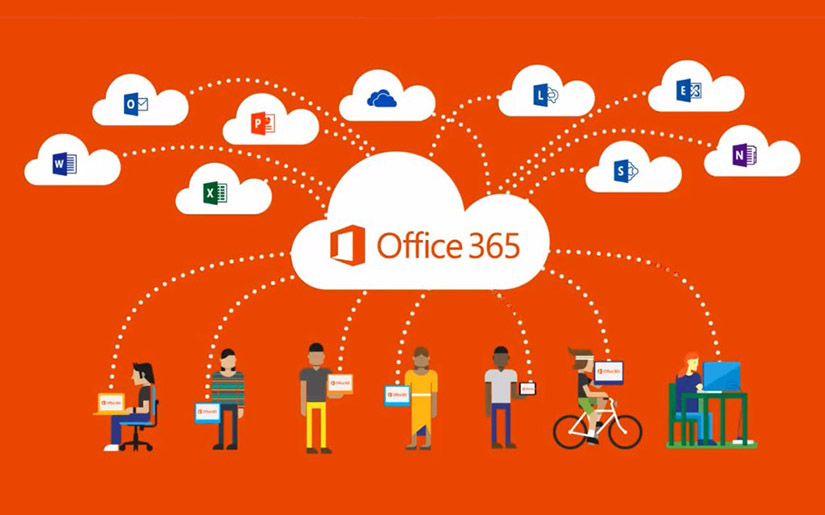
Microsoft 365 Advanced Business tools will help you enhance collaboration and provide you with new ways to work. The tools will allow you to easily attend meetings online, share files, co-author in real time, and work from anywhere.
Today’s organisations are quickly developing their team’s skills in Microsoft 365, so they can work fast and lean, regardless of location.
Whether you need to make a presentation from across the world, or edit documents on your phone in the next room, the tools in Microsoft 365 for Business can help you.
What are the Advanced Business tools in Microsoft 365?
The Microsoft 365 Advanced Business tools include:
- SharePoint
- Planner
- Delve & Office Graph
- The Sway App
- The Bookings App
- Microsoft Teams
Designed to be used across all devices, Microsoft 365 provides you with modern workplace tools, so your organisation and teams can:
- Communicate and work proactively from both local and remote locations
- Improve your data security
- Lower your operating costs
- Work on many different devices
- Collaborate individually or as a team
- Share files and work on them in real time
- Serve clients faster and more proactively
- Improve productivity and profits in your business
The Microsoft 365 for Business Advanced training course from CTO, provides an introduction to this range of Microsoft 365 tools. For more information on the course, click here.
Who needs Microsoft 365 Advanced Business Tools, and why?
Organisations with remote workers
Do you have employees working for you across Australia, or internationally?

If some members of your team live and work in another country, it means they work outside your regular office hours and time zones. Therefore, communicating with them in real-time may not be practical.
Your team needs access to files and information no matter where they are or what time zone they’re in.
With Microsoft 365 business tools, your international and remote employees can do precisely that and more.
- They’re able to maintain real-time contact with other team members in different regions and time zones using Microsoft Teams.
- They’re able to access files and data directly as needed using OneDrive and SharePoint on any device, while protecting the intellectual property and data of your organisation as well.
- And they can utilise all the applications and functions of Microsoft 365 such as Word, Excel, Outlook and other applications, using the cloud.
Employees who are on the road
Do you have staff who travel as part of their job role?
It can be frustrating for you, your team and your travelling employees, to stay in touch and up to date with what’s going on back at head office. At times they may not have Internet access. Other times, your employees on the road may be off the grid while travelling.
So when they’re back, the last thing they need is to spend hours of precious time calling head office for updates from numbers of different people. It’s unproductive, time-consuming and tedious.
The advanced Microsoft 365 for Business tools can solve these issues and more, for your employees on the road.
SharePoint allows your travelling employees to access the latest information and company files, as they need them, on any device.
Microsoft Teams can run a conference call and message team members with specific questions or updates. Also, they can watch Teams meetings they may have missed, which were recorded.
OneDrive allows your team in the field to co-author files with other team members in real time, on any device, as if they were in the same room.
Executive Officers & senior managers

CEO’s and department heads want to lead by example for their teams, so they can be more productive with less downtime.
Using the Advanced tools in Microsoft 365, staff can contact them directly or schedule online meeting using Microsoft Teams, no matter where they are in the world.
Executive Officers and managers also like knowing how they can work offline, and that any changes they make to documents, automatically update and sync once they are back online.
Many executives and managers in organisations across the world want to know how they can use the features such as OneDrive, SharePoint, Planner and Teams to be part of meetings, online presentations and other day-to-day operations. This allows them to work remotely and more productively without interruptions.
How can you benefit from Microsoft 365 for Business advanced tools?
The Microsoft 365 for Business tools are perfect for any organisation that wants to simplify processes, lower costs and learn how to work together, whether they’re in the same room or scattered across several different countries.
What’s the biggest challenge to doing training in Microsoft 365 for Business Advanced skills?
Based on our decades of experience teaching Advanced Microsoft 365 skills to organisations around Australia, we’ve learned that the reality is many people in management roles, and their teams, are wasting a large amount of time trying to fumble their way through learning the Microsoft 365 for Business software and tools for themselves.
These self-training processes mean progress is slow, tedious and frustrating, which ultimately costs organisations more time and money long term, compared to professional training in an online Advanced Microsoft 365 training course.
With professional online training in Microsoft 365 for Business, your organisation, customers, and employees will learn the skills to communicate and work proactively from any location. Microsoft 365 tools improve security and simplify your work processes, while enhancing your productivity, profits, business and teams connectivity.
What do our customers say?
I really enjoyed getting to know Office 365, especially the Yammer and Teams apps. The course was very practical and useful and I now feel very confident in using these programs in my daily work.
Sylvia, Stockwell Group
Our training day was great, thank you. I feel a lot more confident navigating Office 365 now. I most enjoyed the Teams, SharePoint and OneDrive topics.
Judy, Lung Foundation Australia
How do I get started with Microsoft 365 for Business Advanced training?
At Corporate Training Options we have a Microsoft 365 for Business – Advanced Training Course for you, which teaches you and your team the skills to use your Microsoft 365 software more effectively.
Our Advanced 365 for Business training covers the following topics:
- Understand and Navigate Sites
- Learn how to work within SharePoint
- Understand Planner and how to work with it
- Creating, Sorting and Filtering Tasks
- Working with Delve and the Office Graph
- The Sway App and Creating a Sway from a Document or Template
- The Bookings App and Adding Business Information, Services & Reminders
- Creating a Microsoft Team, Adding Members and working in the Teams Mobile App
- Working with Microsoft Office for iPad
- Understand and work with files in the Microsoft Office Mobile Apps
If you’re ready to upgrade your Microsoft 365 skills so your organisation and people are more productive, profitable and connected, our Microsoft 365 for Business – Advanced Training Course will benefit you.
Please contact CTO today for friendly, professional advice.
We’ll discuss your specific needs and tailor a training course to suit your requirements.

Our recent blogs

Courses
Company
Locations
Training delivered Australia-wide